


Video Maker & Editor: FotoPlay
4.812.75K Reviews
App Specs
- Version
- 8.8.1
- Updated On
- License
- Free
- Downloads
- 10,000,000+
- Developer
- FotoPlay Video Maker
- Categories
- Video Players & Editors
- Platform
- Android, iOS
Screenshots
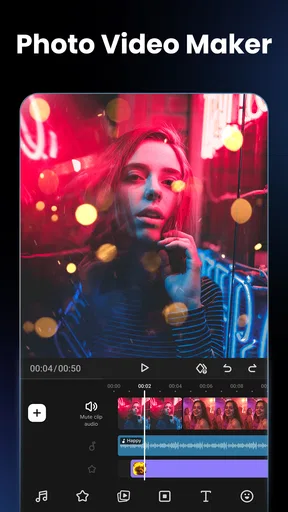
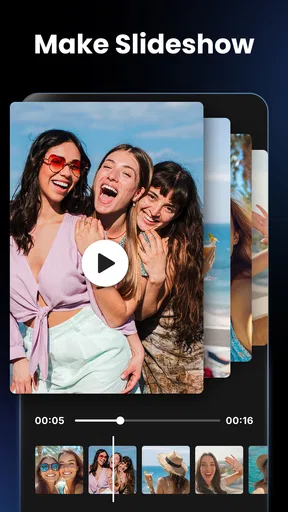
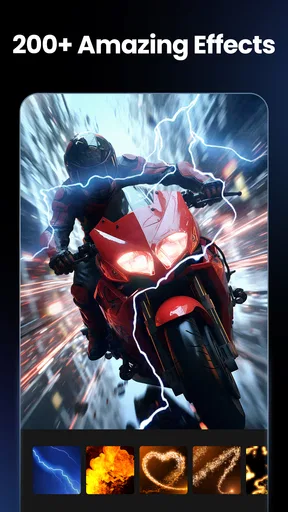
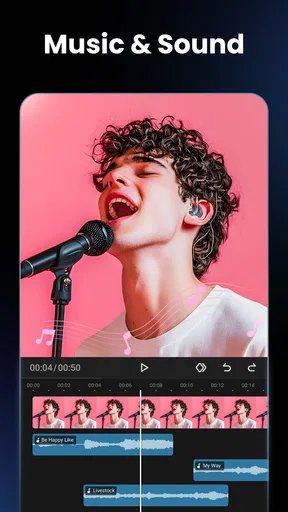
 Analysis by AppCompare
My first impression of Video Maker & Photo Music was that it makes the jump from a phone gallery to a finished montage feel inviting rather than technical. That easy start is useful, but novelty is not the same as staying power. What matters is whether the app can fit into the small, ordinary editing jobs I actually return to: a family recap, a short clip for friends, or a photo sequence worth keeping. For those projects, its mix of music, transitions, text, and effects gives me a quick way to shape a story without beginning with a complicated editor.
When a quick first project feels rewarding
The first-week appeal is easy to understand. I can choose pictures and clips from my gallery, try a few visual treatments, and see a rough idea take shape without having to learn a professional timeline first. That makes it approachable if you have never edited beyond trimming a clip, or if you simply want a presentable result before the moment has passed.
A realistic use is putting together a short birthday recap after the gathering: select a handful of photos and videos, arrange them around a simple theme, add a brief caption, then choose music that suits the mood. I would keep the selection focused rather than include every image. A smaller set gives each shot room to register and makes it easier to spot when a transition or effect distracts from the memory.
The app is a video editing app from FotoPlay Video Maker, and its central appeal is that it brings several familiar creative tasks together. The free price makes it reasonable to try for an occasional project, while in-app purchases range from $0.99 to $24.99 per item. I would explore the free workflow first and decide whether any paid extras matter to the kind of videos I actually make, rather than treating upgrades as necessary for a basic personal montage.
How it fits beside other editors
Compared with a simple social-media editor, a dedicated video maker can be more comfortable when the source material is a mixture of camera-roll photos and clips. I find that distinction useful: a social app is often the natural choice when I am already posting there and want a quick platform-specific finish, while this app is better suited to assembling a small standalone video from several kinds of media.
It is not the option I would choose for every job. A more advanced editor is a better fit when I need detailed control over multiple layers, exact timing, or a carefully refined sequence. At the other extreme, if I only need to crop a clip or remove its beginning, opening a full montage workflow may be more effort than the task deserves. The sweet spot here is a short, personal edit where visual variety matters more than frame-by-frame precision.
Getting Started with Video Maker & Photo Music
Diving into Video Maker & Photo Music was like opening a box of creativity. The app is available for both Android and iOS, which is great because it means more of us can jump in on the fun. After downloading it, I was greeted with a sleek, user-friendly interface. It’s intuitive enough even for first-timers, which is always a win in my book.
Worth Reading Before You Choose

Flipboard Shows What News Apps Must Do Beyond the Feed

Switching to Android Auto Means Rethinking Your Driving Routine

Google Calendar Makes a Crowded Week Easier to Manage

Ludo King Makes the Most of the Minutes Between Plans

Baby Panda World Brings Quick Play to Modern Phones, but Its Game Library Feels Busy

ESPN’s Live Game View Makes Following Close Games Easier
Once inside, the first thing you’ll notice is the variety of options available. You can choose to create a new project by selecting photos and video clips from your gallery, which is super handy for those spontaneous editing sessions when inspiration strikes.
Features That Stand Out
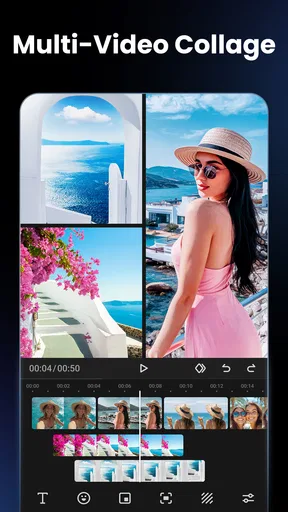
Where do I even begin? The array of features is impressive. You have access to a plethora of editing tools that let you trim, cut, and split your videos with precision. Plus, there are filters and effects that can make your footage look like it’s straight out of a Hollywood blockbuster.
One of my absolute favorite features is the music integration. You can add tracks from the app’s library or import your own. Syncing the music with your video is a breeze, and it really elevates the whole vibe of your creation.
Another cool aspect is the text and sticker options. Want to add some captions or quirky stickers? You got it. It’s not just about making videos; it’s about telling your story in a fun and engaging way.
Creativity Unleashed
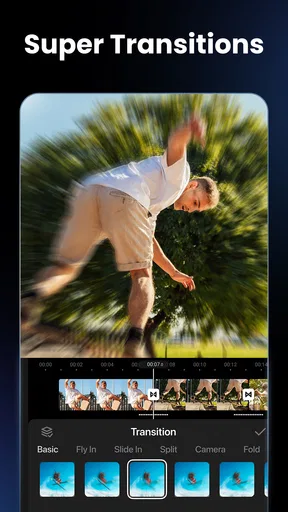
The app gives you a blank canvas, and it’s up to you to paint your masterpiece. I played around with the transitions and effects, and it was like having a mini film studio in my pocket. The transitions are smooth, and the effects can make even the dullest footage pop.
Whether you’re making a heartfelt montage or a snappy highlight reel, the app’s tools encourage you to get creative. I found myself experimenting with different styles and discovering new ways to bring my ideas to life.
A workflow that stays manageable
For recurring use, I would treat each edit as a small, clear assignment instead of an invitation to try every effect. First, choose the moments that carry the story; then place them in an order that makes sense even without music. Add a track only after the sequence works visually. This simple order helps prevent a common phone-editing trap: choosing a song first, then stretching or rearranging every clip just to chase its beat.
Text also works best when it has a job. A short date, location, or name can help a family montage make sense months later, while a caption on every shot quickly competes with the photos. I would preview the video once with captions and once without them. If the words do not clarify the sequence, leaving them out usually makes the finished piece feel calmer.
Music selection deserves a little care too. If I import a track, I would listen to the whole edit from beginning to end rather than judge it from the opening. A song can fit the first few images and then clash with a quieter moment. Keeping the soundtrack subordinate to the pictures makes the video easier to watch, especially when the clips already include meaningful voices or ambient sound.
Sharing Your Masterpiece
Once you’ve crafted your video, sharing it is seamless. You can export your video in various resolutions, which is perfect for different platforms. Whether you’re sharing on Instagram, TikTok, or sending it to friends and family, the app’s got you covered.
It even allows for direct sharing to social media platforms, saving you a step and letting you bask in the glory of your creation a little sooner.
Where the routine can become tiring
The same abundance that makes the first project fun can become a source of fatigue. Filters, effects, stickers, text, and transitions offer plenty to test, but not every addition improves the story. When I want a video to remain watchable after the initial excitement wears off, I favor a consistent look and use visual flourishes selectively. A few deliberate choices tend to age better than an edit that tries to show every available style at once.
There is also a practical trade-off in editing on a phone. Picking media from a large camera roll can take longer than the actual creative work, especially when similar shots are mixed together. Before starting, I would make a small shortlist of the pictures and clips I want to use. That keeps the project focused and reduces the temptation to keep adding material simply because it is available.
For longer or more exacting projects, the convenience of a mobile workflow has limits. Fine timing and detailed adjustments are easier to manage in an editor designed for more involved work. If you are producing videos regularly for a business, need close control over every cut, or expect a polished multi-layer result, I would compare desktop or more advanced mobile tools before committing to this as your main editor.
Good fit, and when I would look elsewhere
I would recommend trying it if you make short personal videos now and then, enjoy combining still images with clips, and want music and decorative elements within one approachable workflow. It also suits someone who wants to turn a folder of event photos into something easier to share than a long sequence of separate images. Its audience is broad: the content rating is Everyone, and it is listed for Android devices running version 7.0 or later.
I would skip it if your main need is only precise trimming, if you dislike experimenting with decorative effects, or if you already depend on a professional editor’s detailed controls. Those are not failures of this app so much as different priorities. The key question is whether a montage-oriented tool solves a recurring problem for you; if you rarely make videos, a one-time burst of curiosity may not justify keeping another editing app in your routine.
For anyone wondering whether they need to pay before they can make something worthwhile, I would start with the free version and build one complete, modest project. The app is free to download, with optional in-app purchases in the stated range, so there is no reason to buy extras before discovering whether the editing flow suits you. I would also check the final export before sharing, making sure the order, captions, music, and chosen resolution still look right outside the editing screen.
Final Thoughts
To wrap it up, Video Maker & Photo Music is more than just an app; it’s a fun and powerful tool that lets you express yourself through video. Whether you’re a seasoned editor or a newbie, the app offers something for everyone. It’s user-friendly, packed with features, and opens up a world of possibilities.
Its long-term value, in my view, depends on having a reason to make short edits repeatedly. The first project can be a pleasure, but the app earns lasting space when it saves time on the kind of montage you genuinely want to share or keep. Its current version is 8.1.1.3, and it has a 4.9 average from around 691,000 ratings, with over 10 million installs. Those figures suggest it has reached a substantial audience, but they do not replace the more personal test: whether its style and workflow make you want to return for your next small video.
If you’re looking to spice up your video-making game, give Video Maker & Photo Music a whirl. It’s an adventure in creativity waiting to happen, and who knows? You might just discover a hidden talent for video editing!
Pros
- User-friendly interface for quick editing.
- Wide variety of effects and transitions.
- Supports multiple video formats.
- High-quality export options available.
- Built-in royalty-free music library.
Cons
- In-app purchases can be costly.
- Occasional ads interrupt workflow.
- Limited advanced editing features.
- Requires high storage for large projects.
- No cloud backup for projects.
FAQs for Video Maker & Editor: FotoPlay
What features does Video Maker & Photo Music offer for editing?
Video Maker & Photo Music provides a range of editing tools, including trimming, cropping, and merging clips. It also offers a variety of filters, effects, and transitions to enhance your videos. Additionally, you can add text, stickers, and music tracks to customize your creations further, making it a versatile app for video editing enthusiasts.
Is Video Maker & Photo Music user-friendly for beginners?
Yes, Video Maker & Photo Music is designed with a user-friendly interface that makes it accessible for beginners. The app provides intuitive navigation and easy-to-follow instructions, allowing users to quickly get accustomed to its features. Beginners can easily start creating professional-looking videos without a steep learning curve.
Can I use my own music in the Video Maker & Photo Music app?
Absolutely! Video Maker & Photo Music allows you to import your own music tracks to personalize your videos. In addition to its built-in music library, you can select songs from your device's library, ensuring your videos have the perfect soundtrack to match your creative vision and style.
Does the app support high-definition video exports?
Yes, Video Maker & Photo Music supports high-definition video exports, up to 1080p, ensuring your videos maintain quality after editing. This feature is particularly beneficial for users looking to share their videos on platforms that require high-resolution content, ensuring clarity and detail in every frame.
Are there any in-app purchases or subscriptions required?
While Video Maker & Photo Music offers many features for free, there are optional in-app purchases and subscriptions available. These typically provide access to additional effects, music tracks, and advanced editing tools. Users can choose to enhance their experience through these purchases, but they are not mandatory for basic use.


